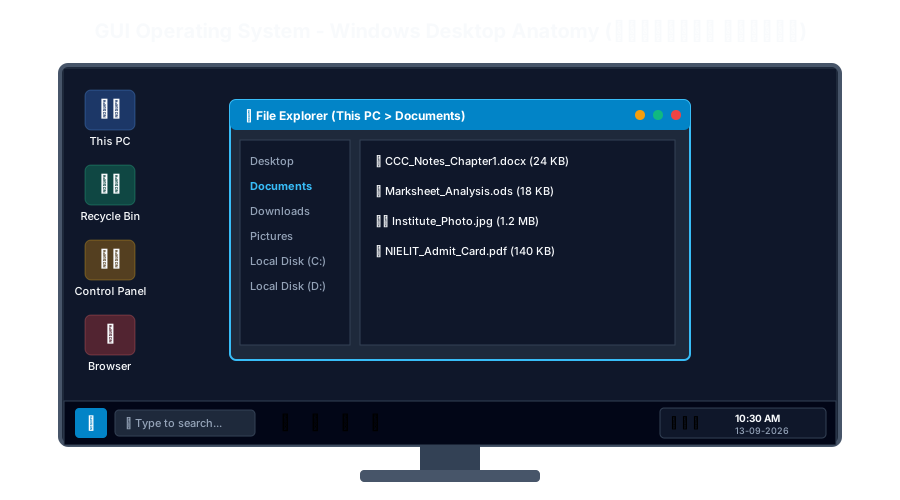
Start Button (Zone 1 - Extreme Left): Clicking the Start button (or pressing the Windows key ⊞) opens the Start Menu containing the list of all installed programs, Power options (Shutdown, Restart, Sleep), and Settings.
2
Search Box / Cortana (Zone 2): Quickly find any file, setting, or application by typing its name.
3
Pinned Applications & Active Tasks (Zone 3): Icons of frequently used apps pinned for quick launching, plus underlines showing currently open windows.
4
Notification Area / System Tray (Zone 4 - Right): Displays background background services: Clock & Date, Volume control, Wi-Fi / Network status, Battery percentage on laptops, and Antivirus status.
5
Show Desktop Button (Zone 5 - Extreme Right Corner): A tiny sliver at the far right edge of the taskbar. Clicking it (or pressing Windows + D) instantly minimizes all open windows and reveals the clean desktop.
5. Essential Windows Desktop Keyboard Shortcuts
Shortcut Key
Action Performed
Windows Key (⊞)
Opens or closes the Start Menu
Windows + D
Minimizes all windows to Show Desktop (टॉगल डेस्कटॉप)
Windows + E
Opens File Explorer (This PC) directly
Windows + L
Locks the PC screen immediately (सुरक्षा लॉक)
Windows + R
Opens the Run dialog box
Alt + Tab
Switch between open running applications
F5
Refreshes the desktop / current window
Interactive Quiz• Knowledge Check
Multiple Choice Questions
Question 1
Which keyboard shortcut permanently deletes a selected file without moving it to the Recycle Bin?
Question 2
How can you visually identify a shortcut icon on the Windows desktop?
Question 3
What happens when you delete a shortcut icon from the desktop?
Question 4
Which keyboard shortcut immediately locks the computer screen to protect unauthorized access?
Question 5
In which section of the Taskbar are the system clock, volume control, and network connection icons located?
Next Lesson
Running and Managing Applications
Continue learning with hands-on practice, examples, and exercises in the upcoming topic.
 Click to Zoom