MSK Institute • Shikohabad
Loading Page Content...
Preparing courses, live labs, and learning resources.सामग्री लोड हो रही है, कृपया प्रतीक्षा करें...
Connecting serverPlease wait...
💻 Practical Labs🚀 Free Demo📜 Verified Certificates
Preparing courses, live labs, and learning resources.सामग्री लोड हो रही है, कृपया प्रतीक्षा करें...
For multi-line programming code, server configuration files, and terminal command sequences, Markdown provides Fenced Code Blocks. With modern syntax highlighters (like Prism.js, Highlight.js, and Shiki), fenced code blocks render colorized, readable code matching your favorite IDE.
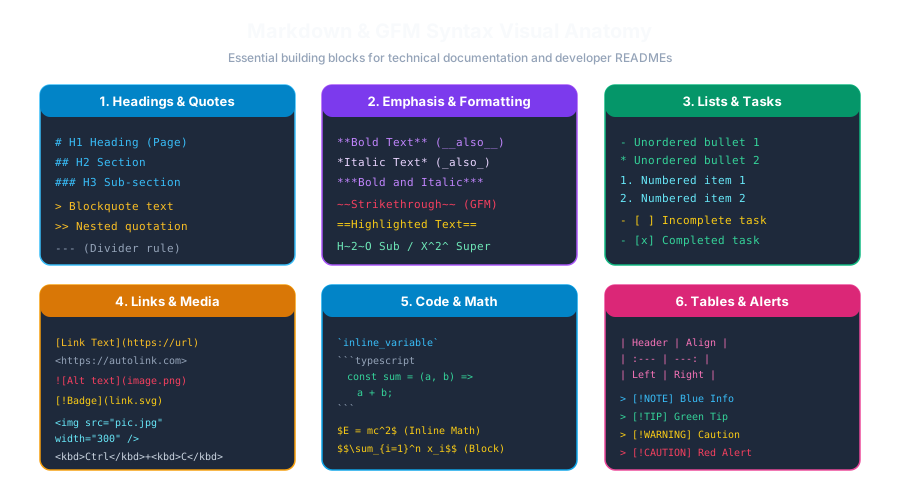 Click to Zoom
To create a fenced code block, place three or more backticks (```) on a line before and after your code:
function calculateTotal(price, tax) { return price + (price * tax); } console.log(calculateTotal(100, 0.18));
<pre><code class="language-javascript">...</code></pre>
~~~) instead of backticks.The word immediately following the opening triple backticks is the Language Identifier (or info string). Modern highlighters use this to tokenize and colorize keywords, strings, comments, and numbers:
| Language | Identifier | Example Usage |
|---|---|---|
| JavaScript | js or javascript | Frontend scripts, Node.js code |
| TypeScript | ts or typescript | Type definitions, interfaces |
| Python | py or python | Data analysis, machine learning |
| HTML | html | Web templates, markup snippets |
| CSS | css | Stylesheet rules, media queries |
| JSON | json | Configuration files, API responses |
| Bash / Shell | bash or sh | Terminal installation commands |
| SQL | sql | Database queries (SELECT, INSERT) |
| YAML | yaml or yml | GitHub Actions, Docker Compose |
| Markdown | markdown or md | Markdown examples |
bash vs shell)When writing documentation for terminal commands, write the commands cleanly so readers can copy-paste without errors:
npm install express dotenv
npm run dev
$ Prompt): Avoid writing $ npm install inside copyable blocks. If a user clicks a "Copy Code" button, the leading $ will copy into their terminal and cause a command-not-found error!If you are writing a Markdown tutorial about Markdown, how do you show a fenced code block inside another fenced code block?
Rule: Use four backticks (````) for the outer fence, and three backticks (```) for the inner fence:
Here is how you write JavaScript in Markdown:
Continue learning with hands-on practice, examples, and exercises in the upcoming topic.
| Previous Lesson | Next Lesson |
|---|---|
| Inline Code & Backtick Escaping Rules | Mathematical Notation with LaTeX / KaTeX |
Test your understanding of this lesson with 5 questions. Each question has one correct answer.