MSK Institute • Shikohabad
Loading Page Content...
Preparing courses, live labs, and learning resources.सामग्री लोड हो रही है, कृपया प्रतीक्षा करें...
Connecting serverPlease wait...
💻 Practical Labs🚀 Free Demo📜 Verified Certificates
Preparing courses, live labs, and learning resources.सामग्री लोड हो रही है, कृपया प्रतीक्षा करें...
Welcome to your first Python lesson!
Before writing many lines of code, let's first understand what Python is, who created it, how it works, where it is used, and why it is popular.
Don't worry if some terms are new to you. You don't need to remember everything in this lesson.
The goal is simply to build a clear understanding of Python.
 Click to Zoom
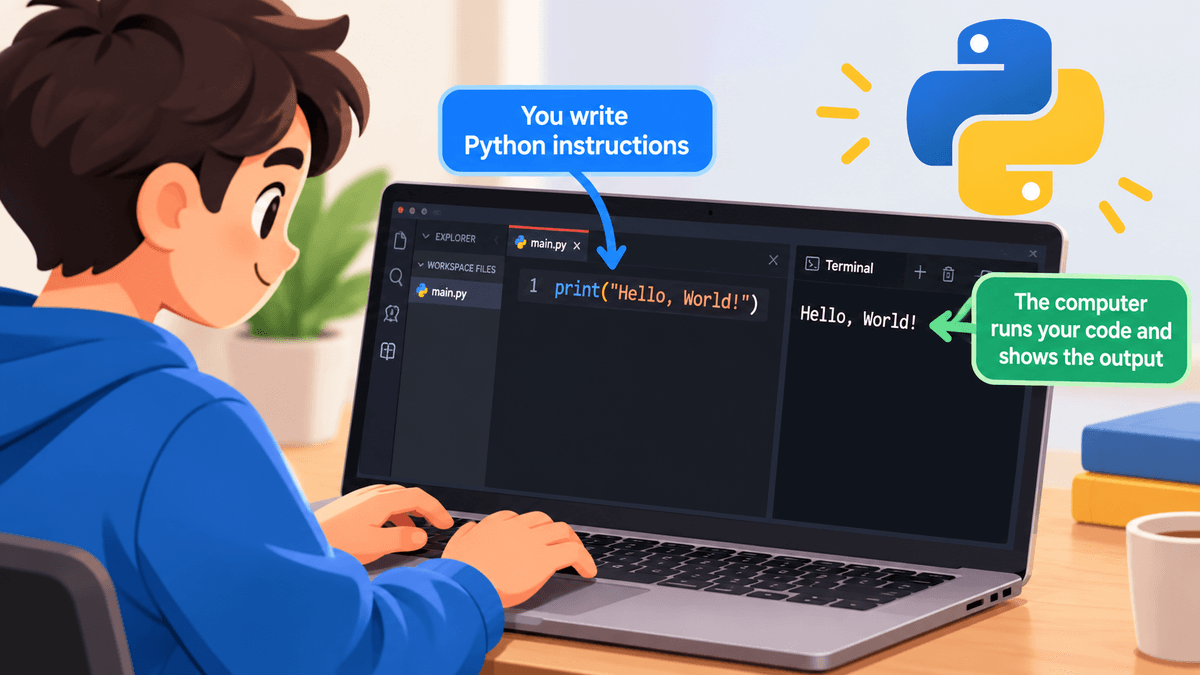
Python is a popular programming language used to tell computers what to do.
Think about it like this:
We use languages such as Hindi or English to communicate with people.
Similarly, programmers use programming languages such as Python to communicate with computers.
Python is known for its simple and readable syntax, which makes it a great language for beginners.
This small program tells Python to display:
That's it!
You have just written your first Python instruction.
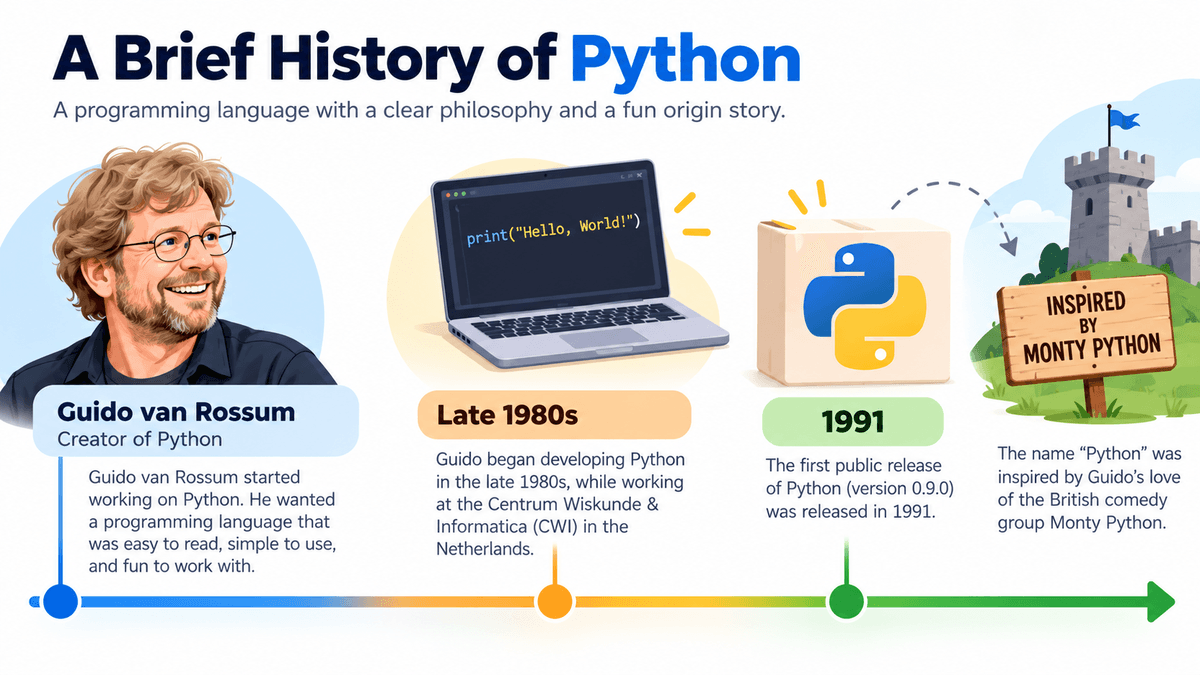
Python was created by Guido van Rossum, a Dutch programmer.
Python was first released publicly in 1991.
Guido wanted to create a programming language that was:
Today, Python is used by students, developers, engineers, researchers, data professionals, and many organizations.
You may have noticed that Python is often represented using a snake.
However, the programming language was not named after the snake.
The name came from Monty Python, a British comedy group.
The snake became a popular visual symbol associated with Python later.
 Click to Zoom
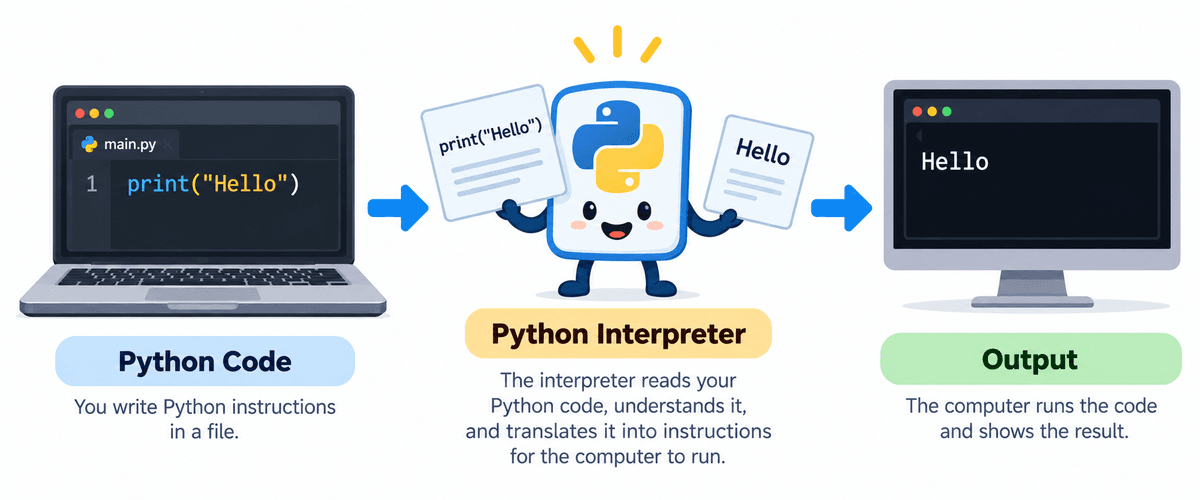
When we write Python code, the computer needs a way to understand and execute our instructions.
A simple way to understand the process is:
For example:
Python processes the instruction and displays:
An interpreter is a program that helps execute Python code.
For a beginner, you can think of an interpreter as a translator.
You write instructions in Python, and the interpreter helps the computer execute those instructions.
 Click to Zoom
For now, remember:
We will learn more about writing and running Python programs throughout the course.
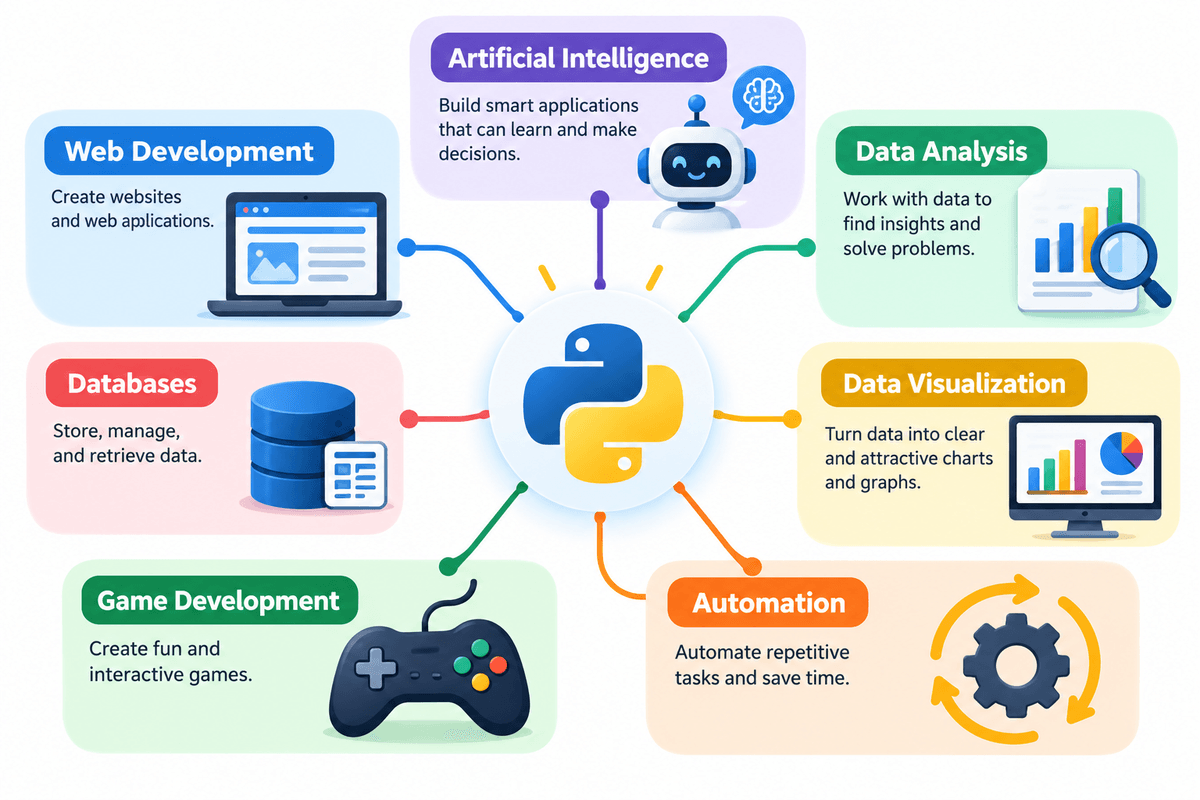
One of the biggest advantages of Python is that it can be used for many different types of work.
 Click to Zoom
Python can be used to create websites and web applications.
Popular Python frameworks include:
For example, Python can be used to build:
Python is widely used in:
Python can help computers learn patterns from data and make predictions.
For example:
Examples include:
Python is widely used to work with data.
For example, a company may have thousands of sales records.
Python can help answer questions such as:
Popular libraries include:
Data is often easier to understand when it is shown visually.
Python can create:
Popular libraries include:
For example:
Python can automate repetitive tasks.
For example, instead of manually:
Python can perform many of these tasks automatically.
This is called automation.
Python can also be used to create simple games and prototypes.
One popular library for beginners is:
Pygame
Python is not the only language used for professional game development, but it can be a good way to learn programming concepts through games.
Python can communicate with databases.
For example, a Python application can:
A simple application might look like:
Python has several features that make it popular.
Python code is generally easy to read.
Compare this:
The instruction is easy to understand even for someone who is just starting programming.
Python has a relatively simple syntax compared with many other programming languages.
This allows beginners to focus more on programming logic instead of spending too much time learning complicated syntax.
Python is free to use.
Its source code is also openly available, and Python is maintained by a large global community.
Python can run on different operating systems, including:
This means that Python programs can often be developed on one operating system and run on another with little or no modification.
Python has a huge ecosystem of libraries and frameworks.
A library is a collection of ready-to-use code that helps programmers perform specific tasks.
Some popular examples are:
| Library | Common Use |
|---|---|
| NumPy | Numerical computing |
| Pandas | Data analysis |
| Matplotlib | Data visualization |
| OpenCV | Computer vision |
| TensorFlow | Machine learning |
| Selenium | Browser automation |
Python has a very large developer community.
If you face a programming problem, you can find:
This makes learning Python easier.
You will see these words frequently throughout this course.
Python is a high-level programming language.
This means Python is designed to be easier for humans to read and write than low-level machine instructions.
Python is dynamically typed.
You usually don't need to specify the type of a variable when creating it.
For example:
Python understands that:
You don't have to write the data type separately.
We will learn variables and data types in detail later.
Python is called a general-purpose programming language because it can be used for many different types of applications.
For example:
There are many reasons beginners choose Python.
Python's readable syntax makes it a good starting point for learning programming.
You can begin with simple programs and gradually move toward advanced concepts.
Python is not limited to one career path.
It can be used in:
Because Python has a large community, there are many resources available for learning and problem-solving.
Learning Python helps you understand important programming concepts such as:
These concepts are useful beyond Python as well.
You can remember Python using this simple flow:
Print vs print)Python is strictly case-sensitive. All built-in functions such as print() must be written in lowercase:
Strings must open and close with matching quotes (either single or double):
In older Python 2 code, print was a statement (print "Hello"). In modern Python 3, print() is a function requiring parentheses:
Open an online Python interpreter or terminal and test these 3 beginner exercises:
Write a Python program that prints your name and your city:
print()Python can calculate mathematical results directly inside print() without quotes:
Use multiple print() statements to print a neat terminal business card:
Before moving forward, remember these points:
In the next lesson, we will continue your Python learning journey with VS Code Setup (1: Introduction and Setup).
Continue learning with hands-on practice, examples, and exercises in the upcoming topic.
| Previous Lesson | Next Lesson |
|---|---|
| None | VS Code Setup |
Test your understanding of this lesson with 7 questions. Each question has one correct answer.